Platform tour
A quick tour of every part of LearnLah - the quiz, WordDash, how scoring works, and what a signed-in parent can see.
1. Pick a class and subject
Type a name (no account needed to start), pick a class from Primary 1 to Secondary 4, then a subject - Maths, English, Science and more, depending on the class. Each subject is broken into topics, and each topic into three difficulties: Easy, Medium and Hard - or Mix for a shuffled set across all three. There's also Champion's Trail, an adaptive run across a whole subject instead of one topic at a time.
Hi Wei Jie! Pick your level 🎯
2. Answer questions
Every quiz is 5 questions. Pick an option and it's marked instantly - right or wrong, you get a plain-language “Why?” explanation before moving on, so a wrong answer teaches something instead of just being a red mark. Finish a quiz and it counts toward that topic's stars: score 80% or higher on Easy, Medium and Hard and all three light up.
Something look wrong with a question? There's a Report a problem button on every single one - reports are logged and reviewed regularly, and flagged questions get re-checked. Most topics also have a Study notes link, right in the quiz - a plain-language summary of the topic, without leaving the quiz screen.
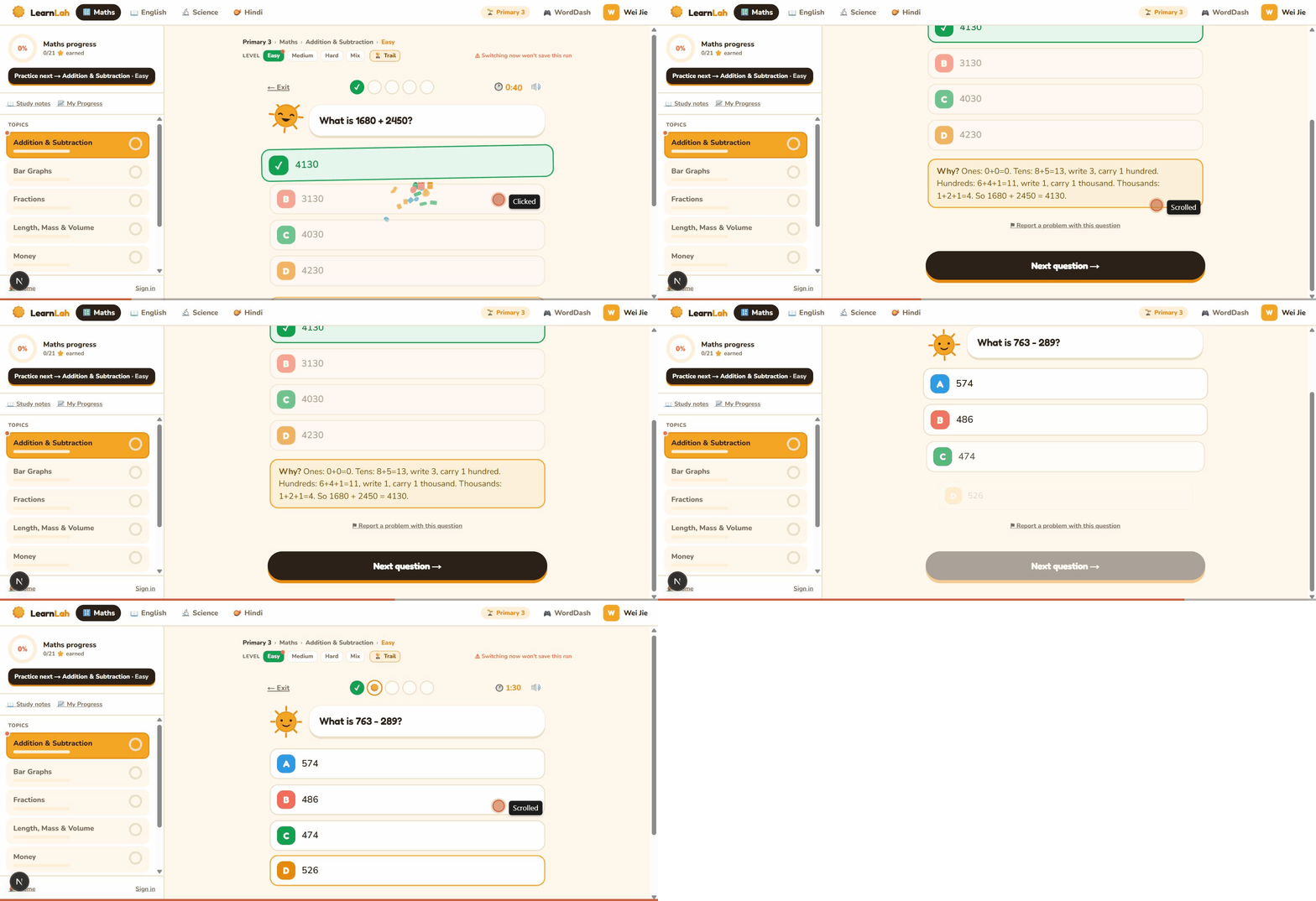
What is 145 + 230?
3. WordDash
A free daily word game, separate from the quiz - spell the word from a clue and an emoji, one new word each round, by class level. Play it any time from the top bar inside the quiz, or on its own at /play.
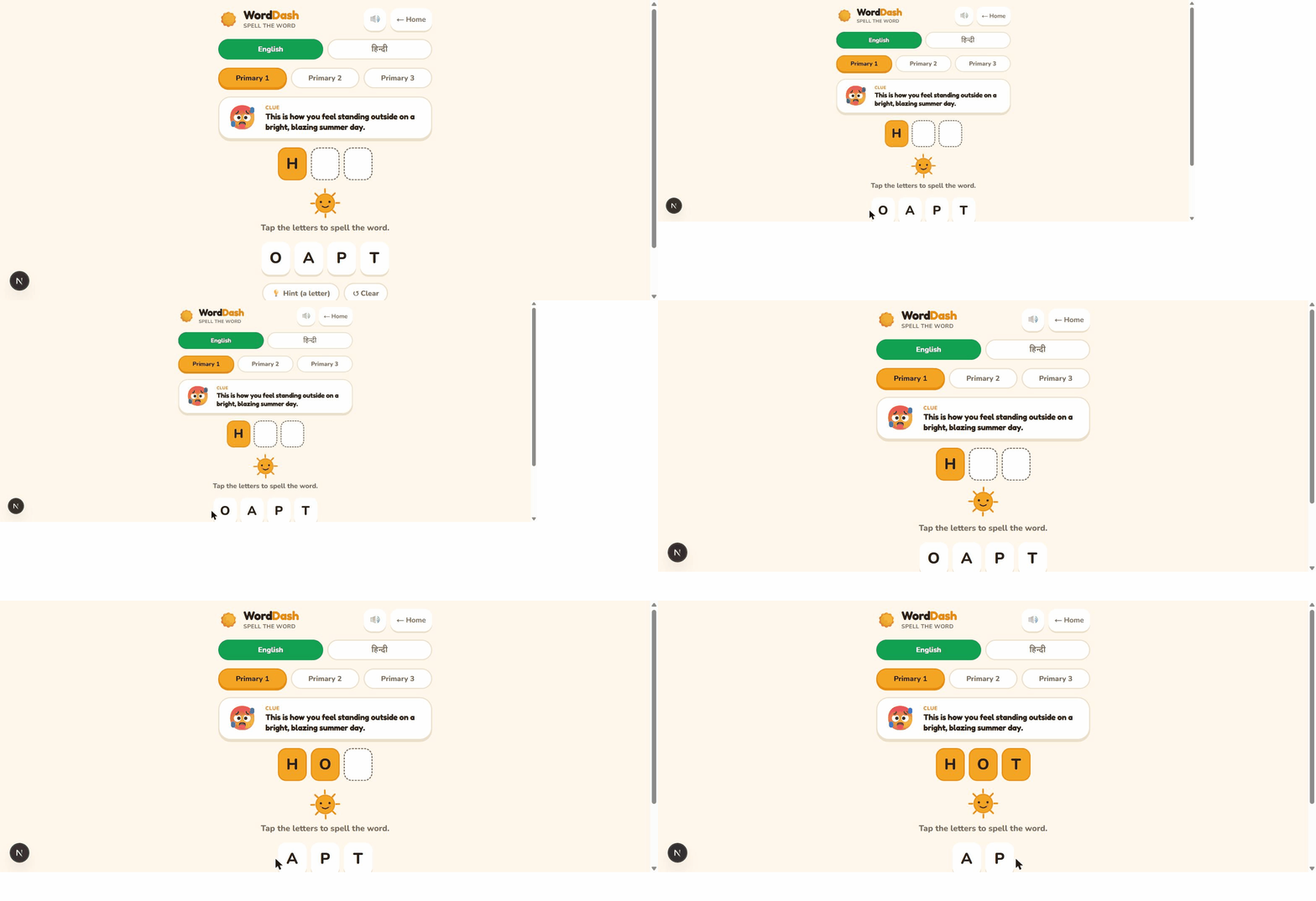
WordDash
Spell the word
Clue
🌬️ You cannot see this, but you can feel it blow through your hair on a breezy day.
4. Scoring and the Report Card
Every quiz feeds into a Report Card. Here's what each part of it means:
- Best score - the highest they've ever scored on that topic. It only ever goes up, so it shows what they're capable of, not today's score.
- Recent - the average of their last few attempts on that topic. This one can go down as well as up, so it's a truer read on how they're doing lately.
- Mastery stars - a small three-part ring that fills in for Easy, Medium, then Hard, once they score 80% or higher at each difficulty.
- The 80% line - a fixed mark on the score bar. It's a target to aim for, not a comparison to other children - scores are never shared or compared between learners.
- Badges - earned for milestones like a first quiz, a perfect score, or practising across many subjects.
Here's what it looks like, for a made-up family - Grace Tan and her two children, Mei (Primary 3) and Aisyah (Primary 1):
Mei
4 topics · 9 quizzes
Aisyah
2 topics · 5 quizzes
How to read this
- % is their best score ever on that topic - it only ever goes up, so it shows what they're capable of, not today's score.
- Recent is the average of their last (up to) 3 attempts - a better read on how they're doing lately.
- The small ring fills in for Easy, Medium, then Hard once they score 80%+ at that difficulty.
- The mark on the bar is the 80% mastery line - not a comparison to other learners, just a fixed target to clear.
5. For parents
Kids can try their first two quizzes with no account at all - progress just saves to that device. After that, or any time earlier, a parent can sign in (a magic link or Google, no password, no credit card) to add one or more children and get:
- Every child's progress synced across any device they play on.
- The full Report Card for every child in one place - on the homepage, inside the quiz under Family, or on the account page.
- An optional short weekly email: what they practised, and what to work on next.